Connect to your LIVE
Set everything up before you go live. Tokio can only connect to TikTok and YouTube once your LIVE has started.
-
Install Tokio
See Install.
-
Set it up
Paste your free Euler Stream API key in Settings → TikTok LIVE, once. For Twitch, sign in in Settings → Twitch instead. YouTube and Kick need neither. Then set up your voice, music, alerts and overlays.

-
Prepare your stream
On Home, under Active features, turn on what you need; it stays as you leave it. Add your overlays to your streaming app.
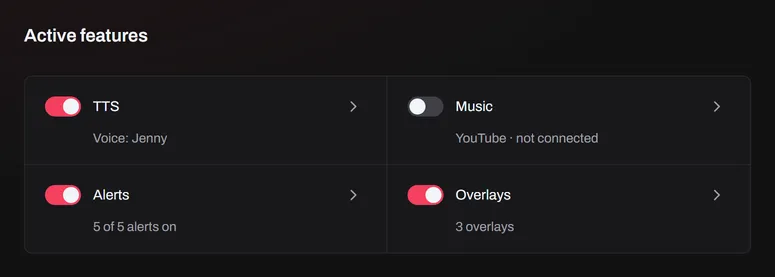
For music, click Connect on Music every time you start Tokio. It doesn’t reconnect on its own, and Home shows “YouTube · not connected” until you do.
For games, turn on the Minecraft switch on Games and paste its command in your world’s chat.
-
Go live and connect
Start your LIVE. On Home, each platform you stream to has a row; click Add a platform to add Twitch, YouTube or Kick. For TikTok, enter your
@username, for YouTube, your channel’s@handleor a link to the LIVE, and for Kick, your channel’s name or its kick.com link. Then click Connect.
Sign in to Twitch
Section titled “Sign in to Twitch”Tokio connects to your own Twitch channel, so you sign in to it once.
- In Settings → Twitch, click Sign in with Twitch. Tokio opens Twitch in your browser with a code already filled in.
- Click Activate there to finish. Tokio then says Signed in as @your-channel.
Tokio hides the code until you click Show. Keep it off your stream: anyone who types it signs Tokio in to their own account.
Sign out works once you’re disconnected from Twitch. If Twitch signs Tokio out, sign in again.
Connect to YouTube
Section titled “Connect to YouTube”YouTube needs no key and no sign-in. In YouTube’s @channel or LIVE link, type your channel’s @handle, or paste a link: the LIVE’s watch, youtu.be or /live/ link, or your channel’s.
Tokio connects once the LIVE has started. Before that, it tells you the channel isn’t LIVE. If the LIVE’s chat is turned off, Tokio asks you to turn it on in YouTube Studio.
Tokio reads the LIVE’s chat from YouTube’s public website, the way a browser does. It doesn’t use an official API, so a change to YouTube’s site can stop it from working until a Tokio update fixes it.
On YouTube, memberships count as subscriptions, gifted memberships as gifted subs, one event for the whole gift, and Gifts bought with Jewels as gifts. Super Chats and Super Stickers are their own event, Super Chat. YouTube doesn’t send follows, since new channel subscribers don’t show in its chat, nor likes, shares or total views.
Connect to Kick
Section titled “Connect to Kick”Kick needs no key and no sign-in either. In Kick’s Channel or kick.com link, type your channel’s name or paste its kick.com link.
Kick’s chat is open before the stream starts, so, as with Twitch, Tokio connects to your channel even before you go live. Once Tokio has seen the stream live, the stream’s end disconnects it.
Tokio reads Kick’s website and chat feed the way kick.com’s own page does, without an official API. A change on Kick’s side can stop it from working until a Tokio update fixes it, as when Kick changed its chat feed in October 2026.
On Kick, Kicks count as gifts, with their price in Kicks as coins. Subscriptions count as subscriptions, with their months, gifted subs as gifted subs, one event for the whole gift, hosts as raids, with the viewers they bring, and channel rewards as channel points. Kick’s emotes count as chat emotes. Kick doesn’t send follows, since its chat feed carries none, nor likes, shares or total views.
Several platforms together
Section titled “Several platforms together”Each platform you stream to has its own row on Home, and they all connect to the same LIVE. Add a platform adds another, even while you’re LIVE, and the × at the end of a row removes it once that platform is disconnected. The profile keeps your list.
A row shows the platform’s logo and name, your TikTok @username, your Twitch account, your YouTube channel or your Kick channel, and under it how it’s doing: Connecting…, Connected, Reconnecting…, Waiting for the LIVE… or Not connected. The Euler Stream key is only for TikTok.
Connect all connects every platform that’s ready, and a row’s own Connect or Disconnect works on that platform alone. A platform that isn’t ready says what it needs in its row, like Type the channel first., and the others connect anyway. If one fails or drops for good, the LIVE goes on and its row offers Connect again. When the LIVE ends on one platform, Tokio keeps going on the others. Disconnect all leaves every platform, and Tokio disconnects on its own when the last one is down.
Twitch and Kick connect to your channel even before you go live. Twitch’s and YouTube’s viewer counts update every 30 seconds, Kick’s every 60, and Viewers adds up every platform’s.
Each platform sends its own events:
| Events | Come from |
|---|---|
| Chat | TikTok, Twitch, YouTube and Kick |
| Follows | TikTok and Twitch |
| Gifts | TikTok, YouTube and Kick |
| Subscriptions and gifted subs | Twitch, YouTube and Kick |
| Raids and channel points | Twitch and Kick |
| Likes, shares and Super Fans | TikTok |
| Bits | Twitch |
| Super Chats | YouTube |
TikTok’s gifts and Kick’s Kicks count as coins. Bits don’t, and YouTube doesn’t say what a Gift costs, so its Gifts add none.
While you’re LIVE
Section titled “While you’re LIVE”While you’re connected, Home shows how long you’ve been LIVE and your Viewers, with a line of the LIVE so far and its Peak. Below them are Likes, Total views, New followers, Shares, Gifts, Coins and the LIVE’s Top gifters.
Likes, total views and shares are TikTok’s, and gifts come with TikTok, YouTube or Kick. Coins and top gifters need gifts with a price, so they come with TikTok or Kick: YouTube’s Gifts count in Gifts, but their senders never join Top gifters. With Twitch alone, only New followers shows below Viewers, with YouTube alone only Gifts, since YouTube sends no follows, and with Kick alone Gifts, Coins and Top gifters.
A rose line also lights up at the top of the title bar.
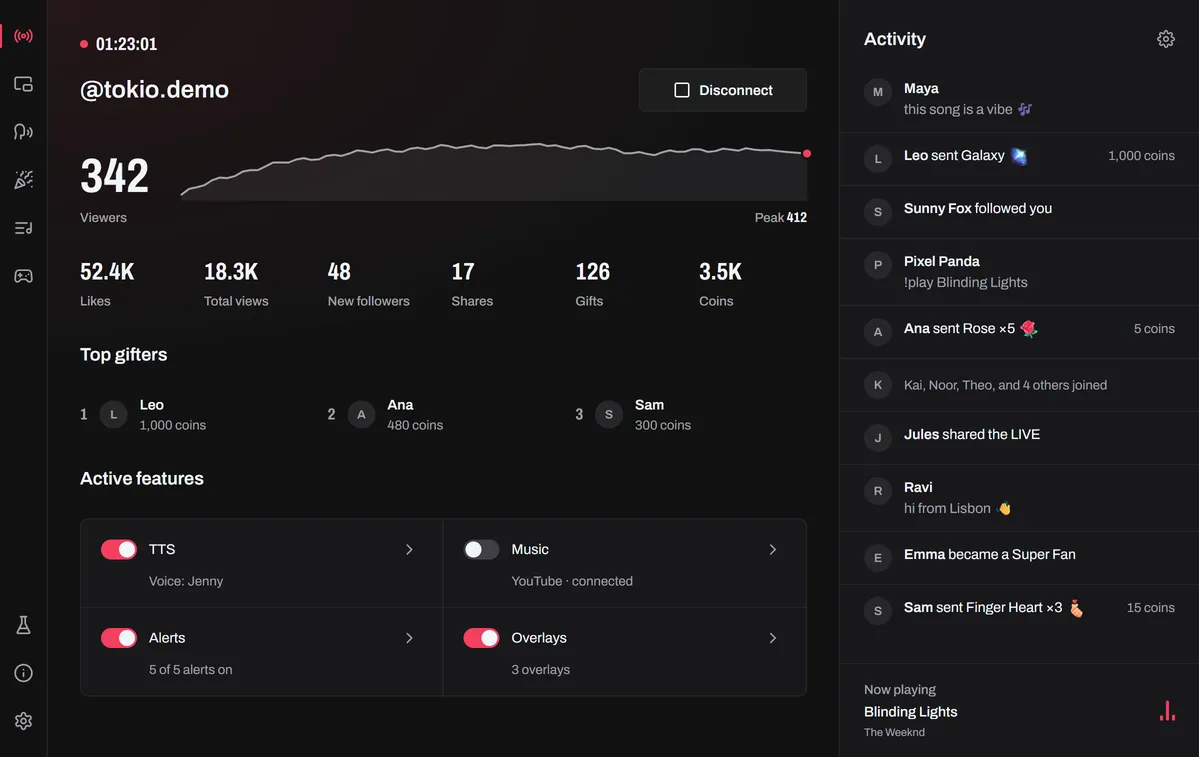
The Activity feed keeps the last 100 events, from every platform. It stays after the LIVE ends, until the next one. With Chat translation on, a message in another language shows its translation underneath.
While a song plays, Now playing at the foot of Activity shows its cover, name and artist.
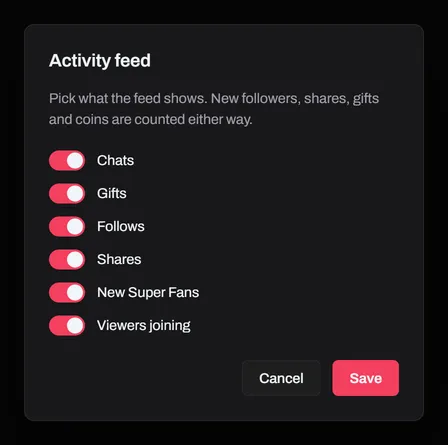
Feed settings, the gear next to Activity, picks which events the feed shows, and Save keeps your choice. Hidden events still count in the totals.
Viewers can also type chat commands, like !play to request a song.
Turning a feature off during the LIVE stops what it has queued. For music, that clears the requests, and the song playing keeps playing.
When something fails
Section titled “When something fails”If Tokio can’t connect, it tells you why. When the network was the problem, it first tries twice more, 3 seconds apart.
If the connection drops, Tokio reconnects on its own and keeps trying until it’s back or you click Disconnect. Meanwhile Home says Reconnecting… where the LIVE’s time was.
When the LIVE ends, Tokio disconnects with “The LIVE has ended.” If it ended while Tokio was reconnecting, as when your connection cuts the LIVE short, Home says Waiting for the LIVE… and Tokio looks for it for 2 minutes. It does the same when it can’t reconnect for another reason. If the LIVE comes back in that time, Tokio connects to it; if not, it tells you “Unable to reconnect to the LIVE. Connect again from Home.” Disconnect stops the wait.
Any disconnect drops what TTS, alerts and music had queued, and the song playing keeps playing.
Why a connect fails
- The LIVE hasn’t started yet.
- The username wasn’t found on TikTok, or the channel on YouTube.
- The LIVE’s chat is turned off on YouTube. Turn it on in YouTube Studio.
- Your Euler Stream key is missing, wasn’t accepted or hit its rate limit.
- Your Euler Stream plan doesn’t include the connection.
- Euler Stream couldn’t sign it, or TikTok can’t be reached.
- You aren’t signed in to Twitch, or Twitch signed Tokio out. Sign in again in Settings → Twitch.
Other problems show as notifications, kept under the bell in the title bar.