Countdown
A subathon-style countdown on your stream, which viewers add time to with gifts, likes, follows, shares, new Super Fans, subs, Bits, Super Chats and chat.
-
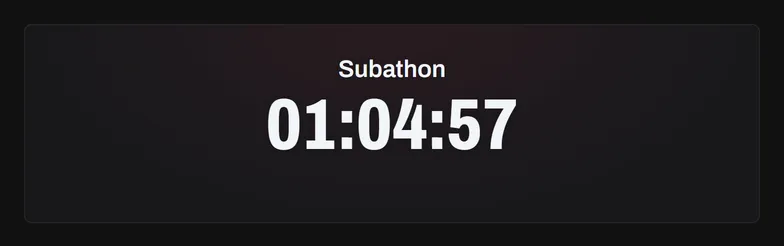
In Tools, open Countdown and set the Starting time, 60 minutes by default.
-
Under Time added, set what each event adds.
-
Add the timer’s overlay to your streaming app (see Adding an overlay):
http://tokio-app.local:37891/timer/ -
Press Start.
Controls
Section titled “Controls”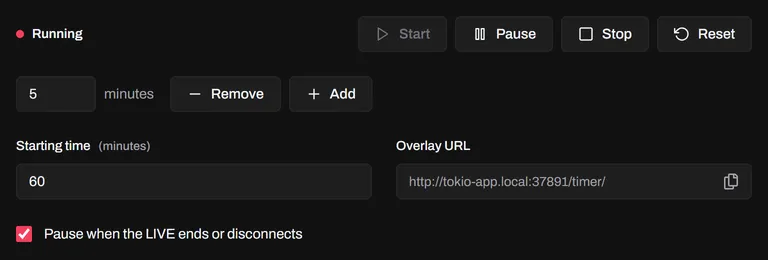
| Button | What it does |
|---|---|
| Start | Runs the clock from the Starting time, or carries on. |
| Pause | Holds the clock. Events still add time. |
| Stop | Holds the clock, and events add nothing until you Start again. |
| Reset | Puts the starting time back, after you confirm. |
| Add, Remove | Change the clock by the minutes you enter, say for a donation from elsewhere. They work once you Start, skip the Multiplier and stop at Maximum time. |
At 0 the status reads Time’s up, and Start waits until you use Add or Reset. The clock keeps running when you leave its page.
It pauses when the LIVE ends or Tokio disconnects, unless you uncheck Pause when the LIVE ends or disconnects.
Time added
Section titled “Time added”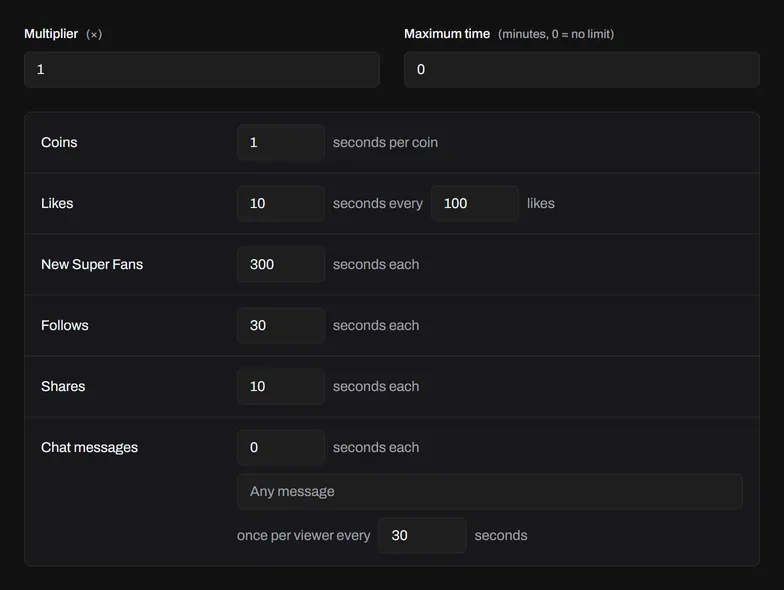
Events add time only after you press Start. By default:
| Event | Adds |
|---|---|
| Coins | 1 second per coin |
| Likes | 10 seconds every 100 likes |
| Follows | 30 seconds each |
| Shares | 10 seconds each |
| New Super Fans | 300 seconds each |
| Chat messages | 0, once per viewer every 30 seconds |
| New subs | 300 seconds each |
| Gifted subs | 300 seconds per gifted sub |
| Bits | 1 second per Bit |
| Super Chats | 300 seconds each |
On Likes, the second number sets how many likes add time at once.
New subs and Gifted subs come from Twitch, Kick and YouTube’s memberships, Bits from Twitch and Super Chats from YouTube. A New subs row counts each subscription or renewal, and Gifted subs and Bits count each sub given and each Bit. Super Chats adds the same seconds for each Super Chat or Super Sticker, whatever it cost, since currencies differ. Coins counts TikTok’s gifts and Kick’s Kicks by their price, and shows only with TikTok or Kick, since YouTube doesn’t say what its Gifts cost. The rows, and the overlay’s triggers, only show what the profile’s platforms send: with only Twitch, there are no coins, likes, shares or Super Fans.
- 0 seconds leaves an event out. Multiplier multiplies every event, like 2 for a double-time hour.
- Maximum time stops adding time once the clock reaches it. 0 is no limit.
- Chat messages count only with the keyword you enter, matched like a chat alert’s, and once per viewer in the cooldown. Leave it empty to count any message.
On stream
Section titled “On stream”The overlay shows the clock, an optional Title, and what each burst adds, like +1:30. Set the rest in Timer look.
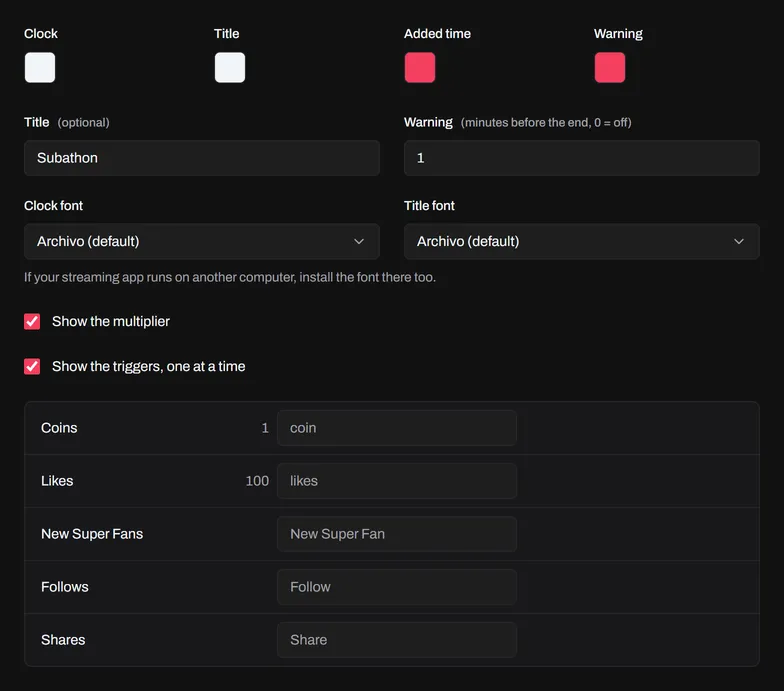
- Clock, Title, Added time and Warning are its four colors.
- Warning turns the clock to its warning color that many minutes before the end. 0 turns it off.
- Clock font and Title font list the fonts on your computer. With your streaming app on another computer, see Fonts and sound.
- Show the multiplier shows it, like ×2, while it isn’t 1.
- Show the triggers, one at a time shows what each event adds, like Follow +30s, with the names you type.
Profiles and restarts
Section titled “Profiles and restarts”Each profile has its own timer, and switching profiles pauses it. If Tokio closes while it runs, it comes back paused with about the time it had.